Plans with the people you already know.
Say you're free — coffee at 4, gym tonight, food after class — and the friends you pick light up. No feed, no public profile, no algorithm deciding who you should meet.
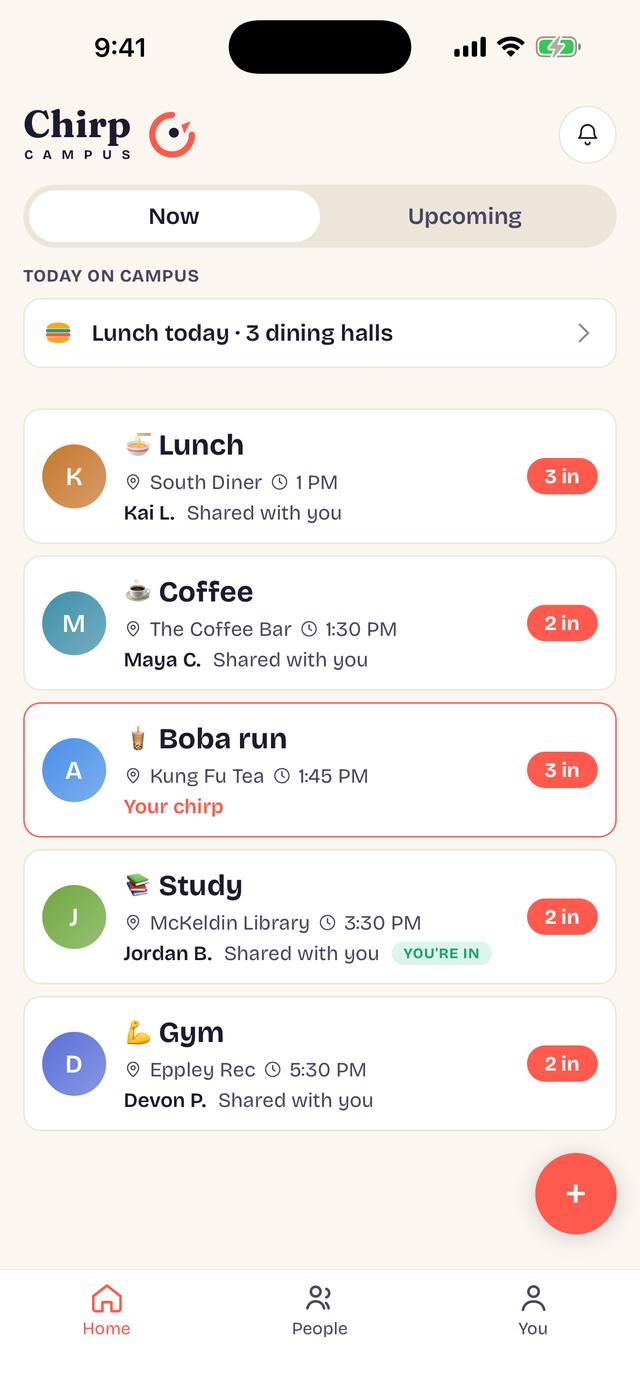
The whole app, in three taps.
Say you're free
Drop a “down to…” — an activity, a place, a time — and pick exactly who sees it. Your friends, one group, or three specific people.
The right friends light up
Only the people you chose see it. Quiet by default; a buzz only when it's for you. Nobody else can find it, and nothing is public.
Meet
Tap “I'm in” and see who's coming. A chirp fades about an hour after it starts — nothing stays up, nothing piles up.
We think this list matters as much as the one above.
Chirp Campus is built for a campus, where some users are under 18. Every line here is a design decision, not a setting.
Read the privacy policy →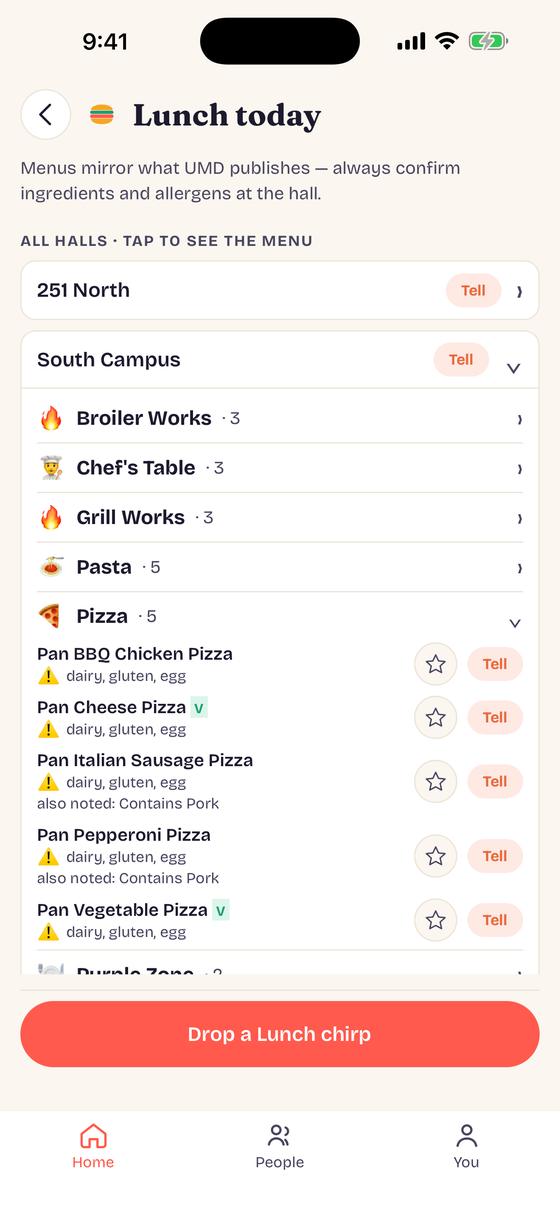
Know what's for dinner.
Every hall and every station for today, with the allergen labels UMD publishes. Star a dish and we'll tell you the morning it's being served — then tell your people you're going, in one tap.
Your floor, in one scan.
A poster on the door puts your whole floor in one group. Say when you're heading to dinner and see who's coming — no group-chat noise.
Get a poster →What your student is signing up for.
Plain answers: what we collect, what we never do, how to report someone, and how to reach a person.
Read it →Stop asking “anyone free?” into a group chat.
Free on the App Store and Google Play. Takes a minute to set up — your phone number, your name, your major and year.
Download on theApp StoreGet it onGoogle Play